Every screenshot in this guide came from a live walkthrough of the Noble Gas mobile app running with real data. The app is available free on both iOS and Android.
01 Getting Started
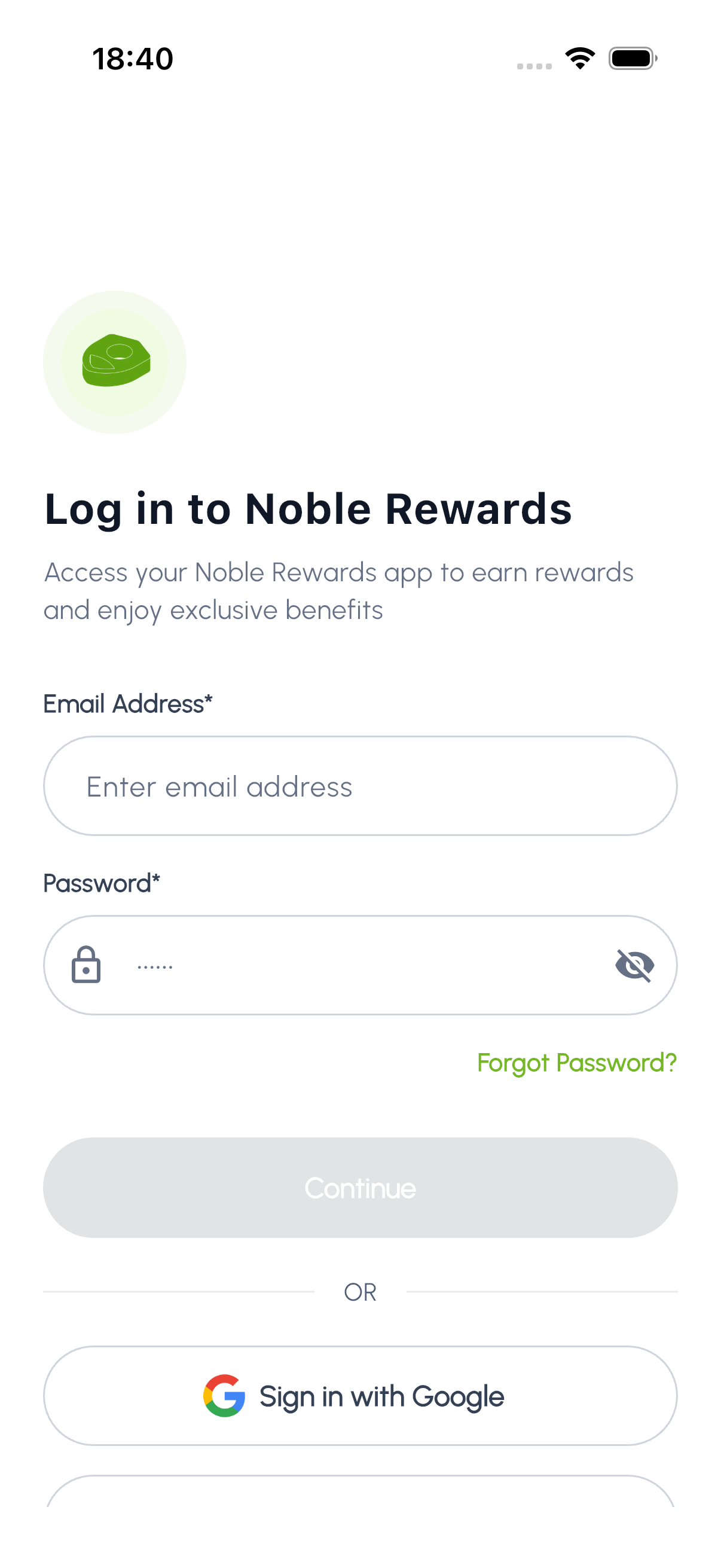
Getting started with Noble Gas is simple. Download the app from the App Store or Google Play, then create your account to begin earning rewards immediately.
- Sign Up: Create your account with your name and email, or sign up with Google or Apple. Phone number and date of birth are optional. If you register with an email and password you will receive a verification code to confirm your identity.
- Sign In: Sign in with your email and password, with Google on iOS and Android, or with Apple on iPhone and iPad. Whichever you used to sign up is the one to sign in with.
- Browse first: You can explore the rewards catalogue as a guest, without an account, and create one when you are ready to start earning.
- Notifications: Allow push notifications to stay informed about new rewards, promotions, and your point balance updates.
- Location Access: Optional. Grant location while using the app to see the Noble outlets and car washes nearest you and get directions.
02 Home Dashboard
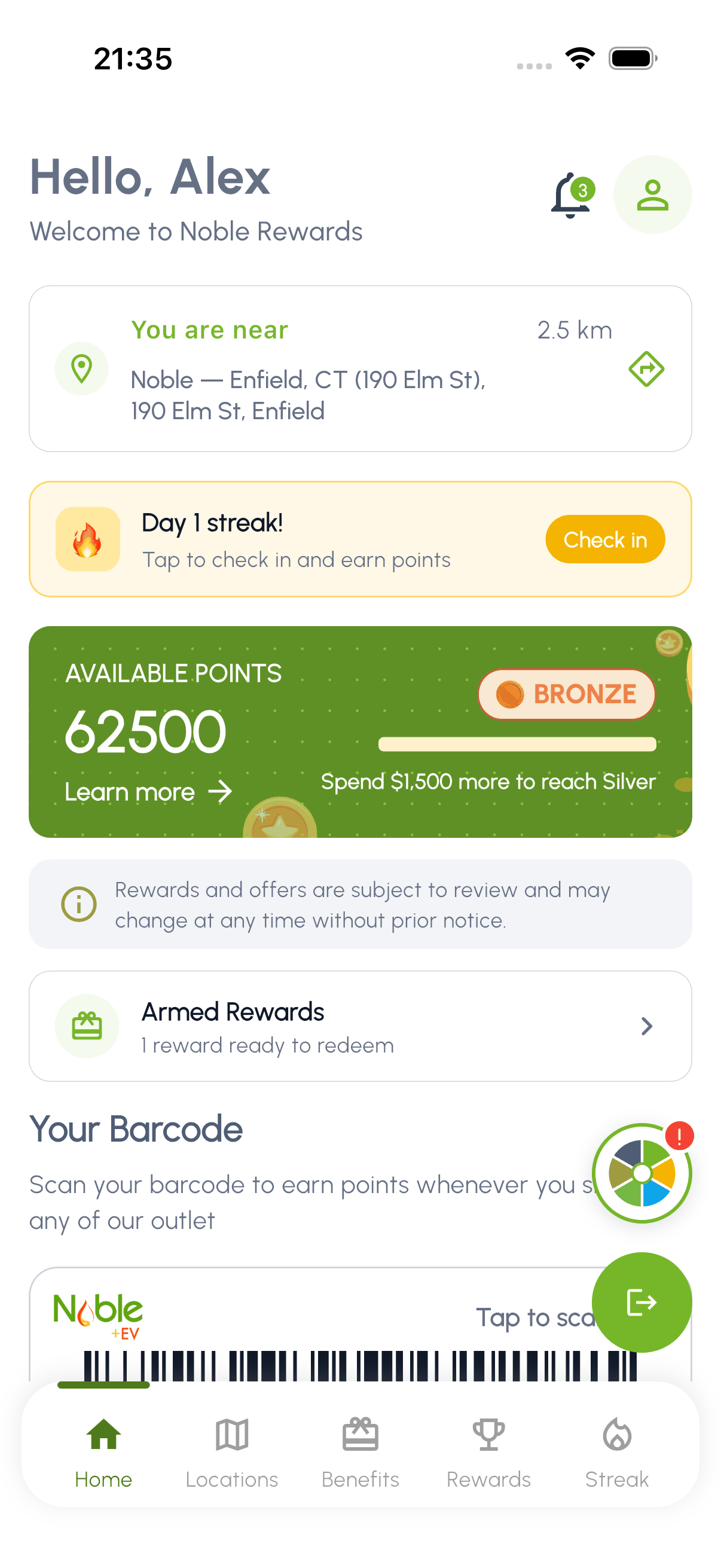
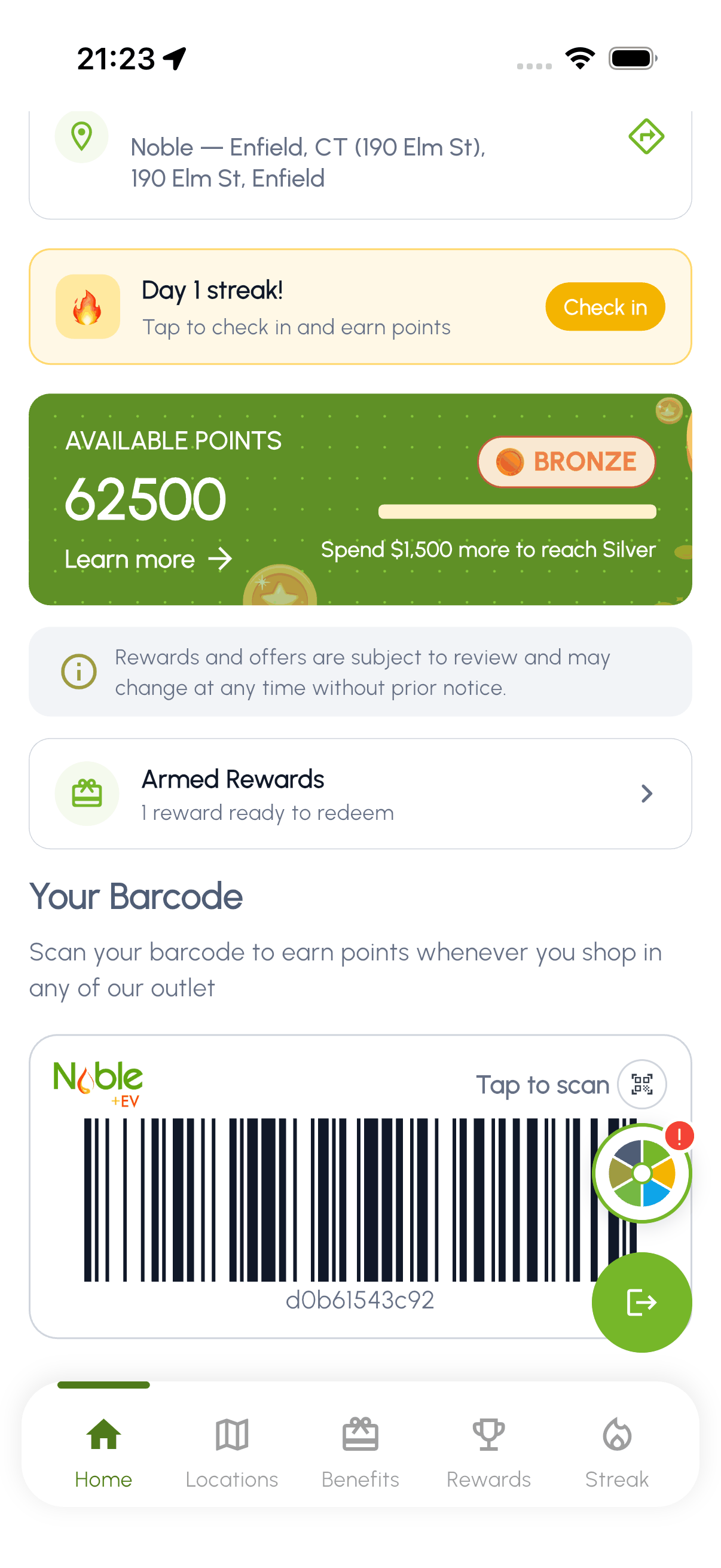
The home dashboard is the first thing you see when you open the app. It shows your current points balance, membership tier, daily streak, and your personal barcode for scanning at the pump or wash bay.
- Points Balance: Your total earned points are displayed prominently at the top of the screen.
- Membership Tier: See whether you are Bronze, Silver, or Gold tier, along with progress toward the next level.
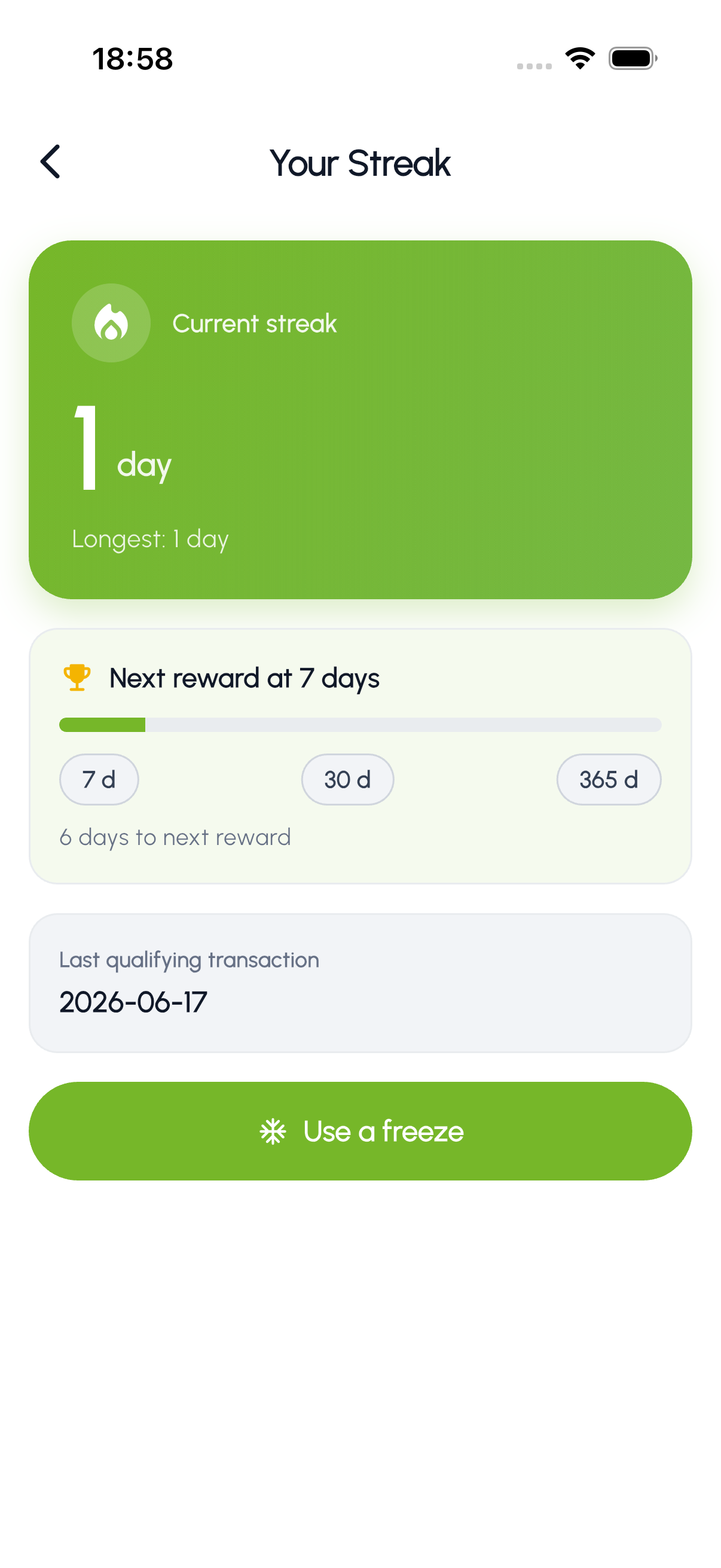
- Daily Streak: Your current check-in streak is shown to encourage daily engagement.
- Barcode: A unique barcode linked to your account. Present it at the register or car wash terminal to earn points on your purchase.
- Recent Transactions: Scroll down to see your latest point-earning activities and redemptions.
- Benefits: Quick access to your available benefits based on your current tier.
03 Benefits & Rewards
As a Noble Gas member you have access to rewards that grow with your tier. The Benefits tab is where you browse available rewards, redeem car wash codes, and arm fuel discounts for the pump.
Browsing benefits
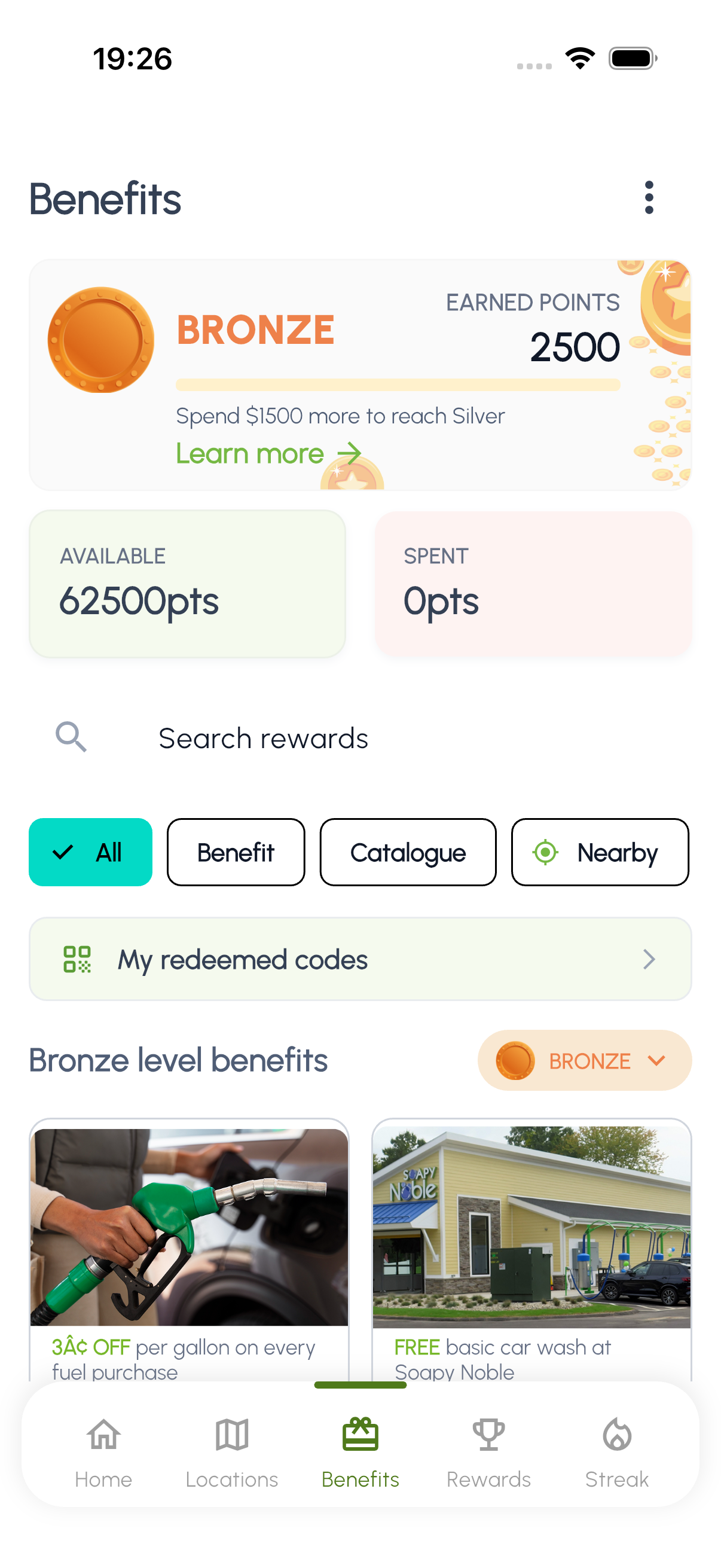
The Benefits screen shows your current tier, available and spent points, and all rewards you can redeem. Filter by Benefit, Catalogue, or Nearby to find what you need.
Arming an in-store catalogue item
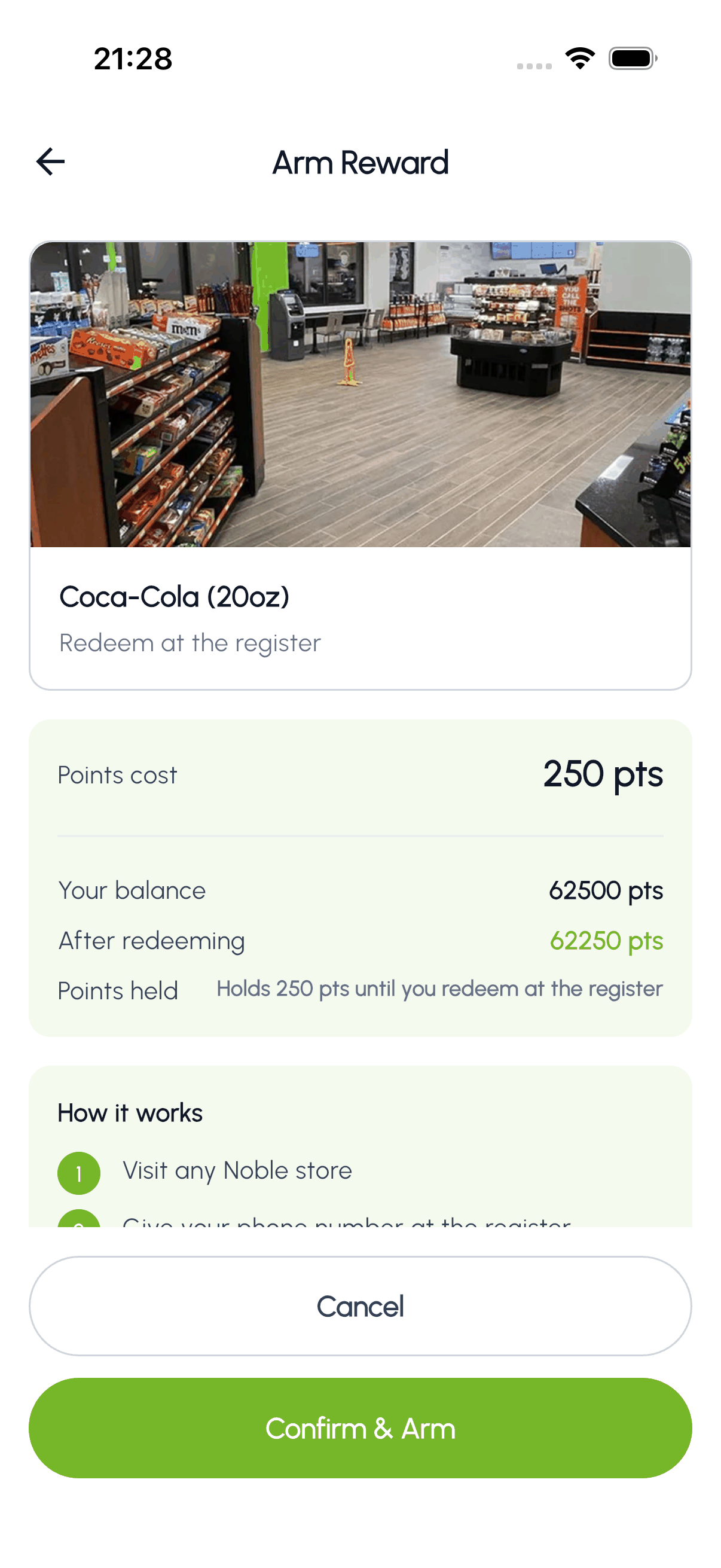
Switch to the Catalogue filter to browse in-store rewards like drinks, coffee, and snacks from Noble Gas and partner brands. Tap any item to open the Arm Reward screen: it shows the reward, the points that will be held, and your balance before and after. Tap Confirm & Arm to hold the points, then redeem on the register at any Noble store: the cashier applies the reward and the held points are deducted when you check out.
Redeeming a car wash code
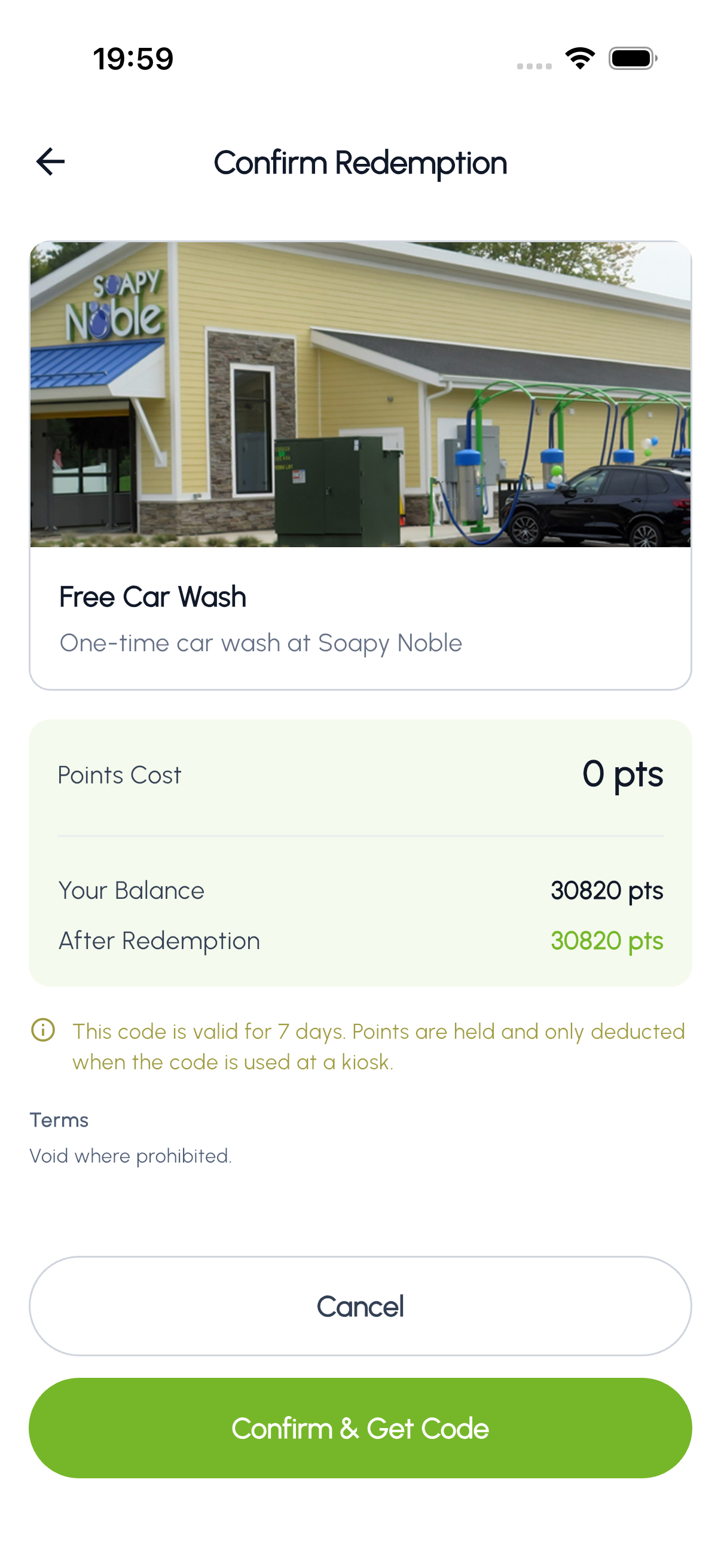
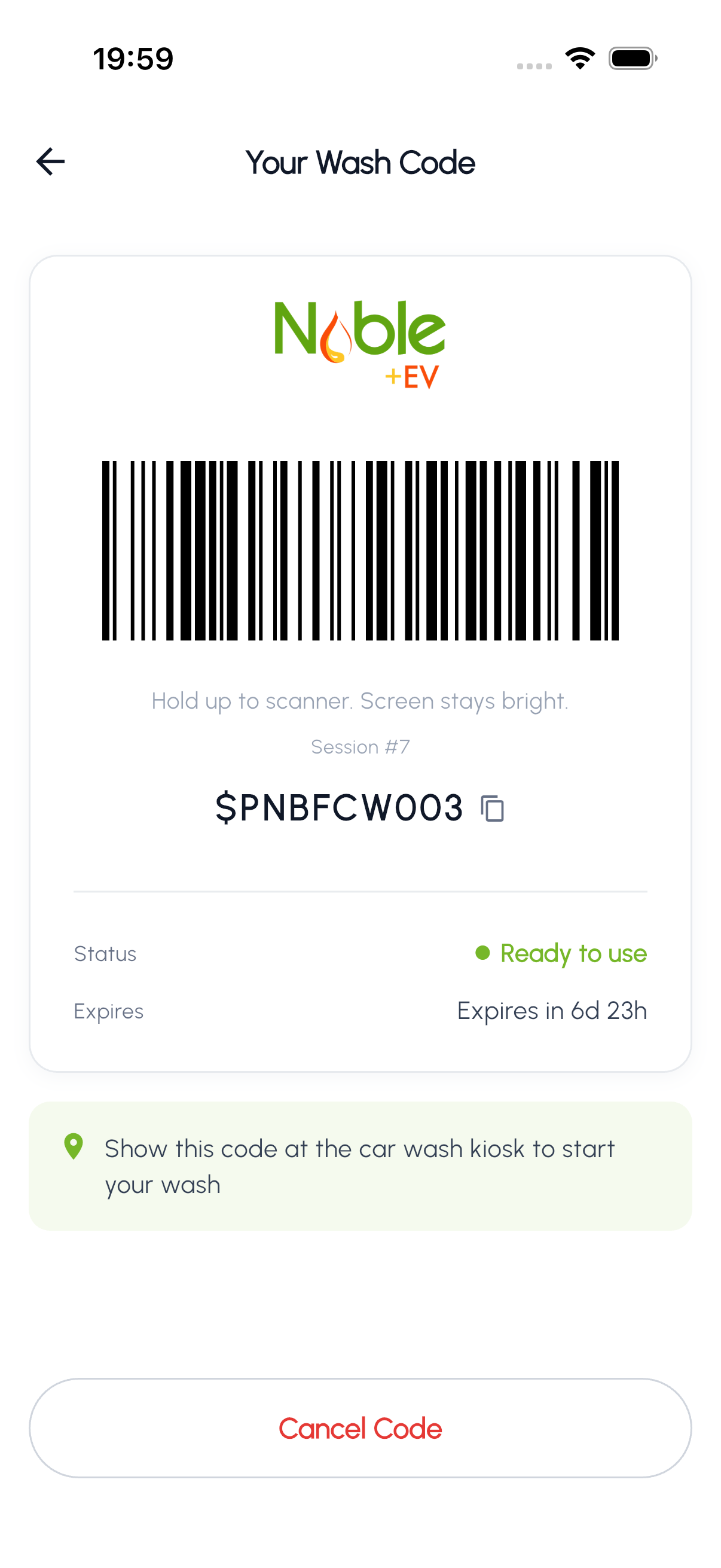
Tap a car wash reward to see the redemption details: points cost, your current balance, and balance after redemption. Confirm to receive a wash code with a barcode you can scan at any Noble Gas car wash kiosk. Codes are valid for 7 days.
Redeeming a car-wash membership
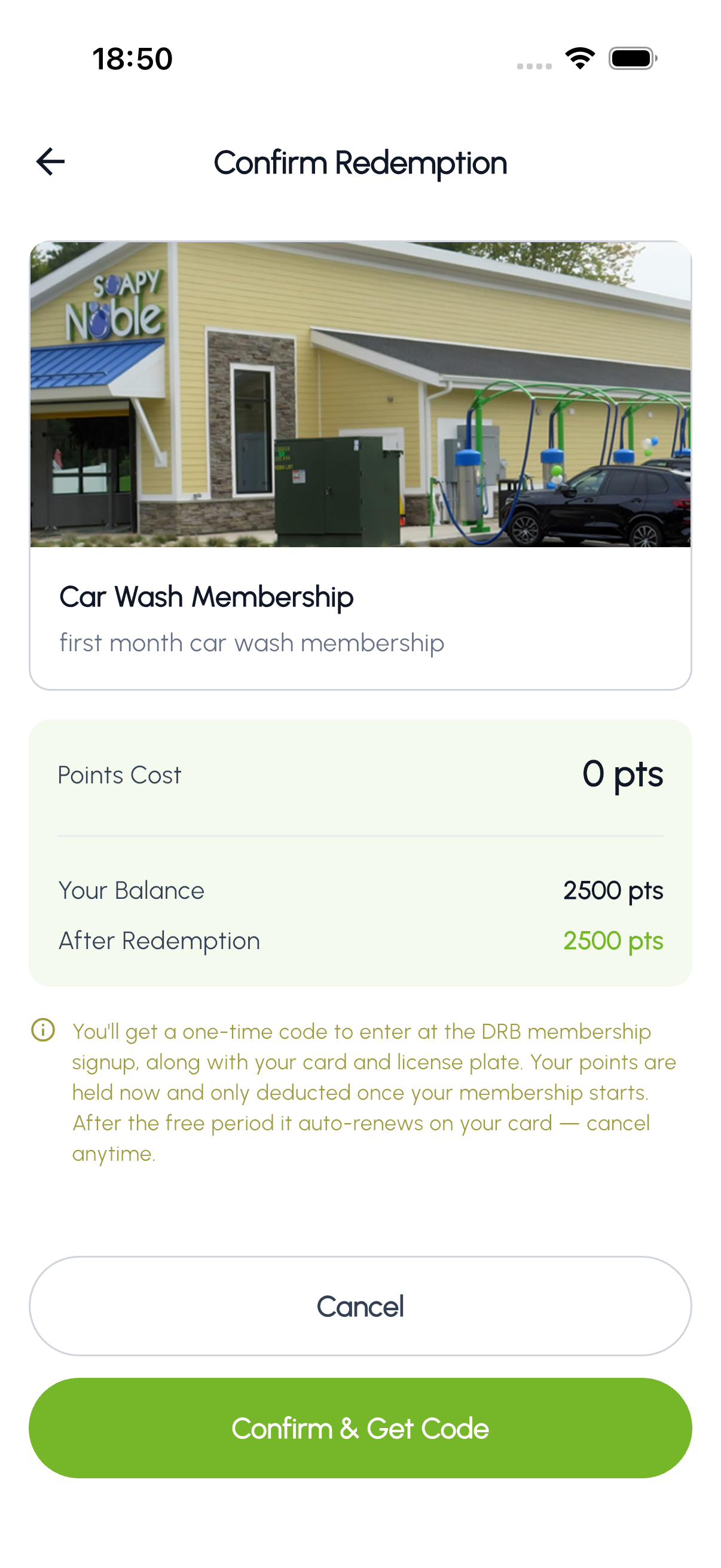
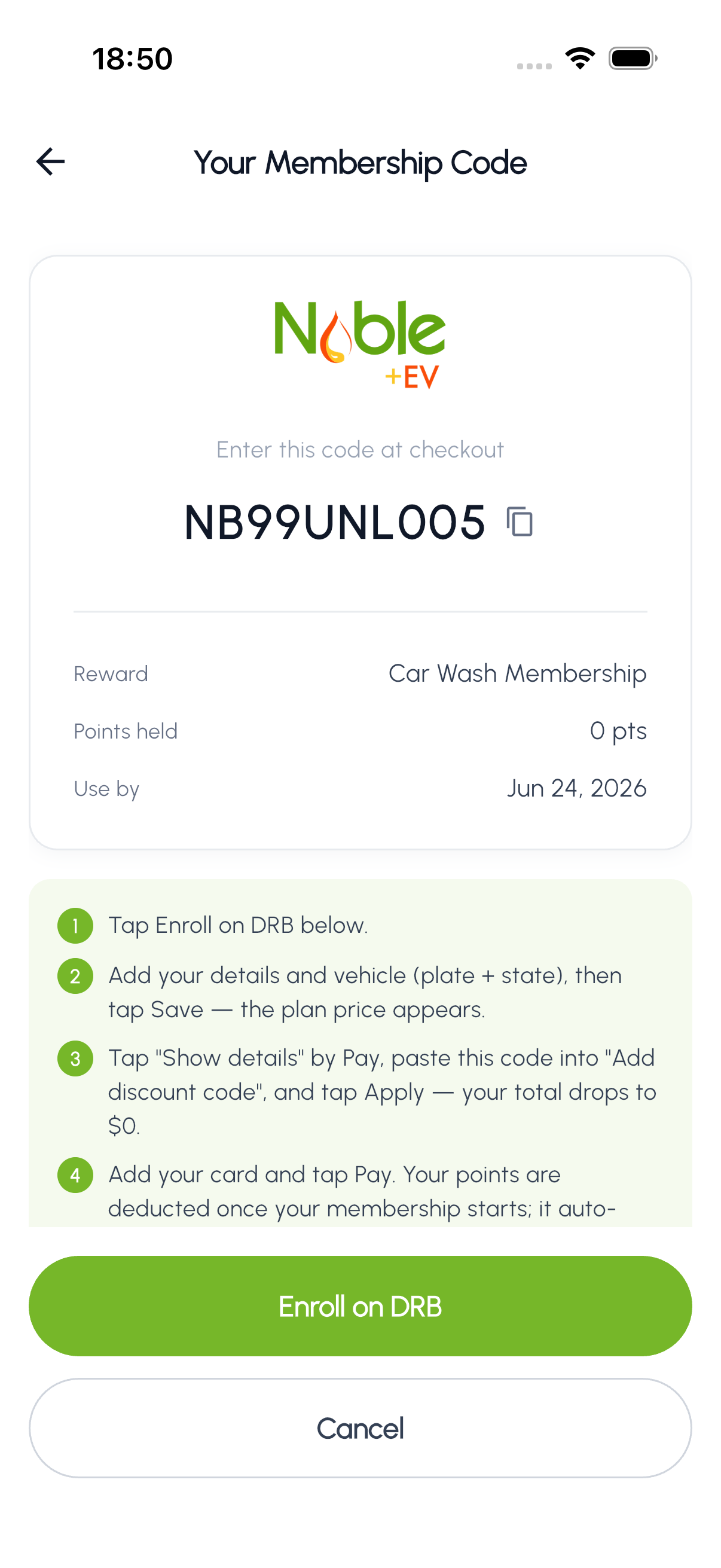
Some car-wash rewards are memberships: a monthly unlimited-wash plan rather than a single wash. Tap the membership reward to review the details, then Confirm & Get Code. Your points are held (not yet deducted) and you receive a unique coupon code plus a link to finish signing up. At checkout you enter the code, add your vehicle, and add a card, and your total drops to the membership's intro price. Held points are deducted once the membership starts, and the plan auto-renews. You can cancel anytime.
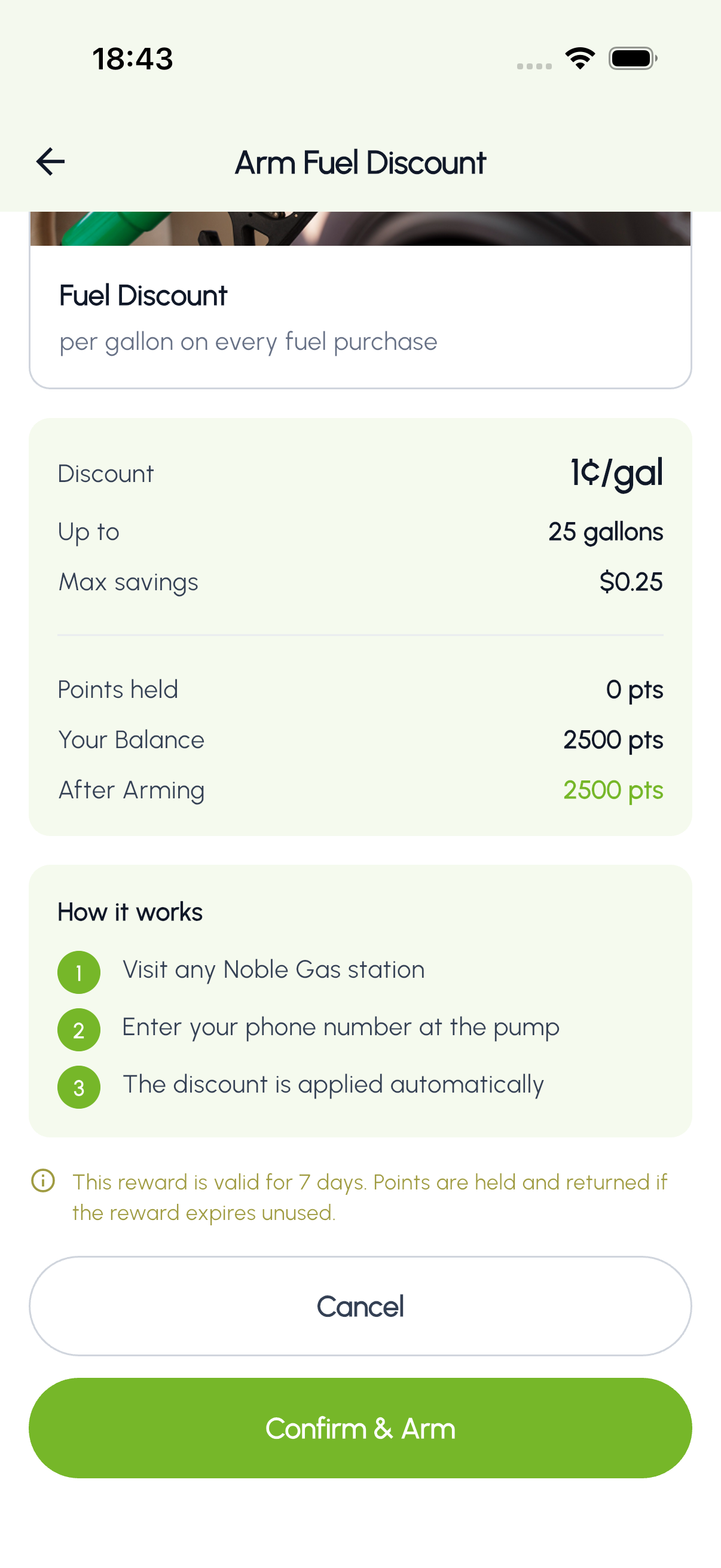
Arming a fuel discount
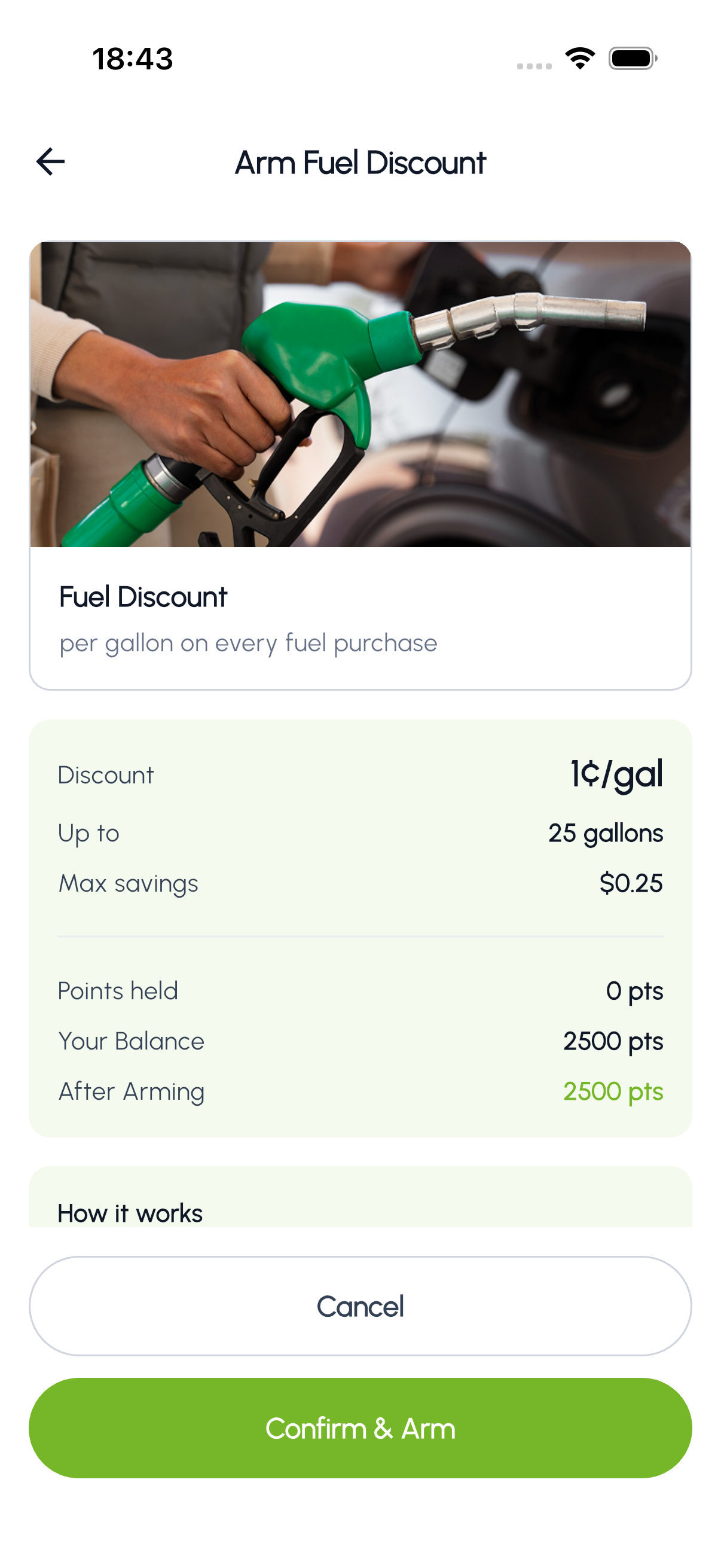
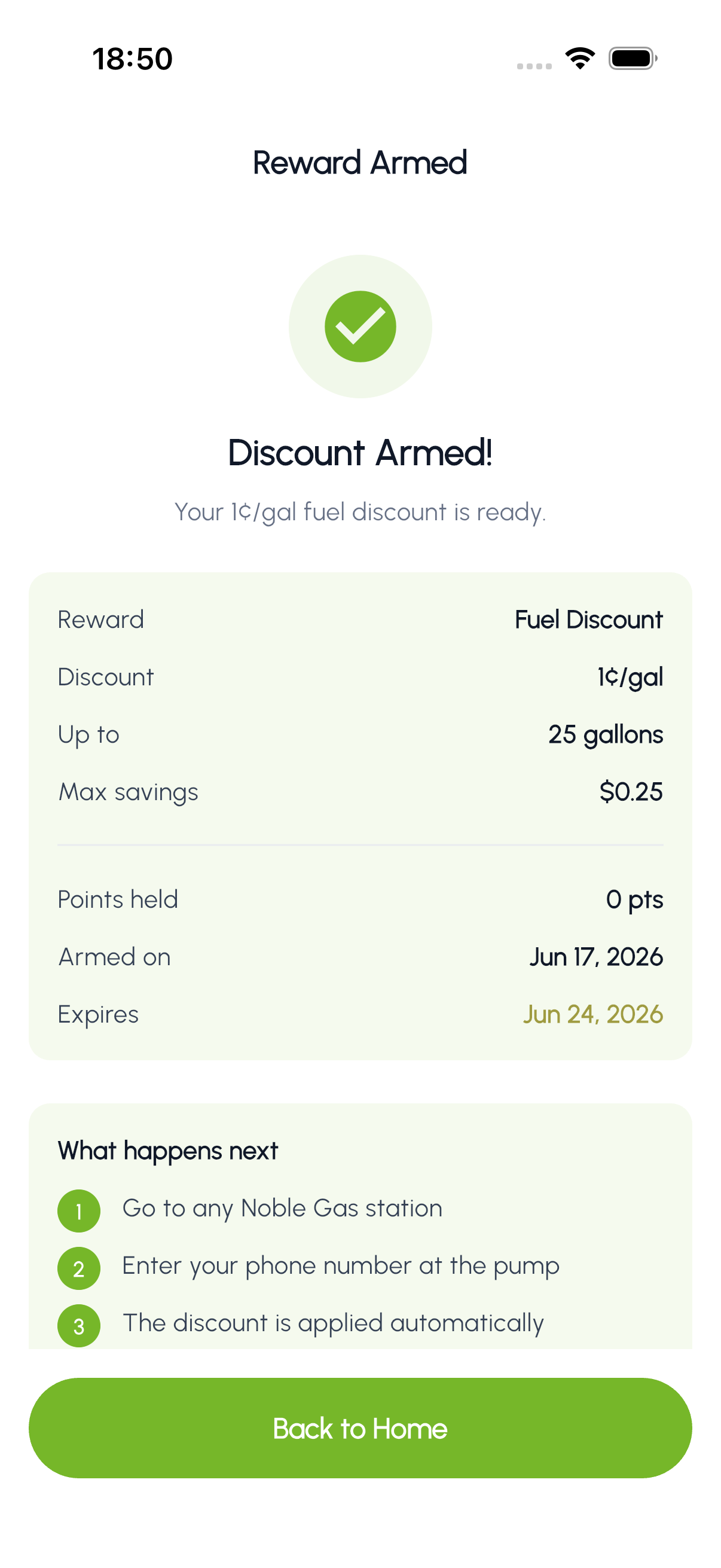
Fuel discounts work differently. You "arm" the discount before visiting the pump. The app shows the cents-per-gallon discount, gallon cap, and maximum savings. Once armed, visit any Noble Gas station, enter your phone number at the pump, and the discount is applied automatically.
Redeemed codes
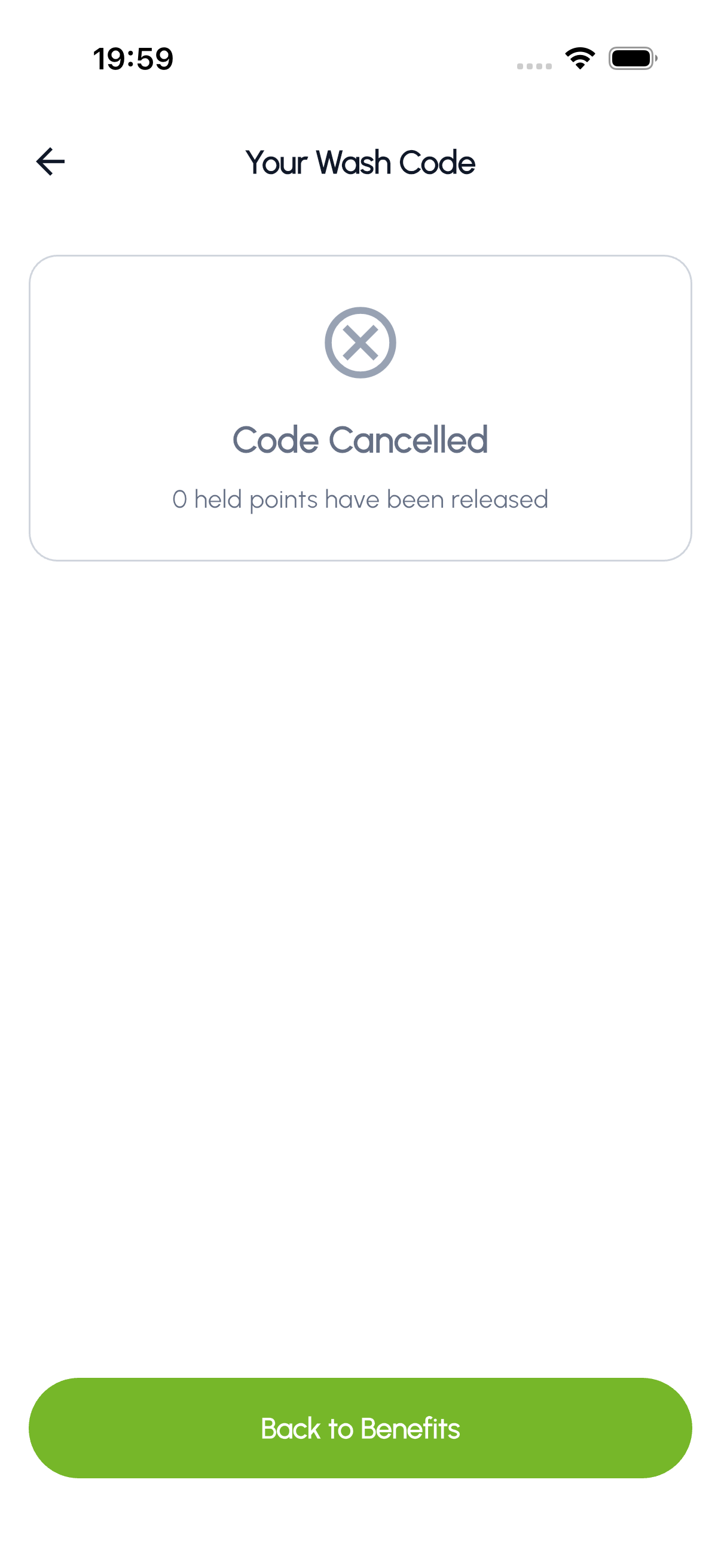
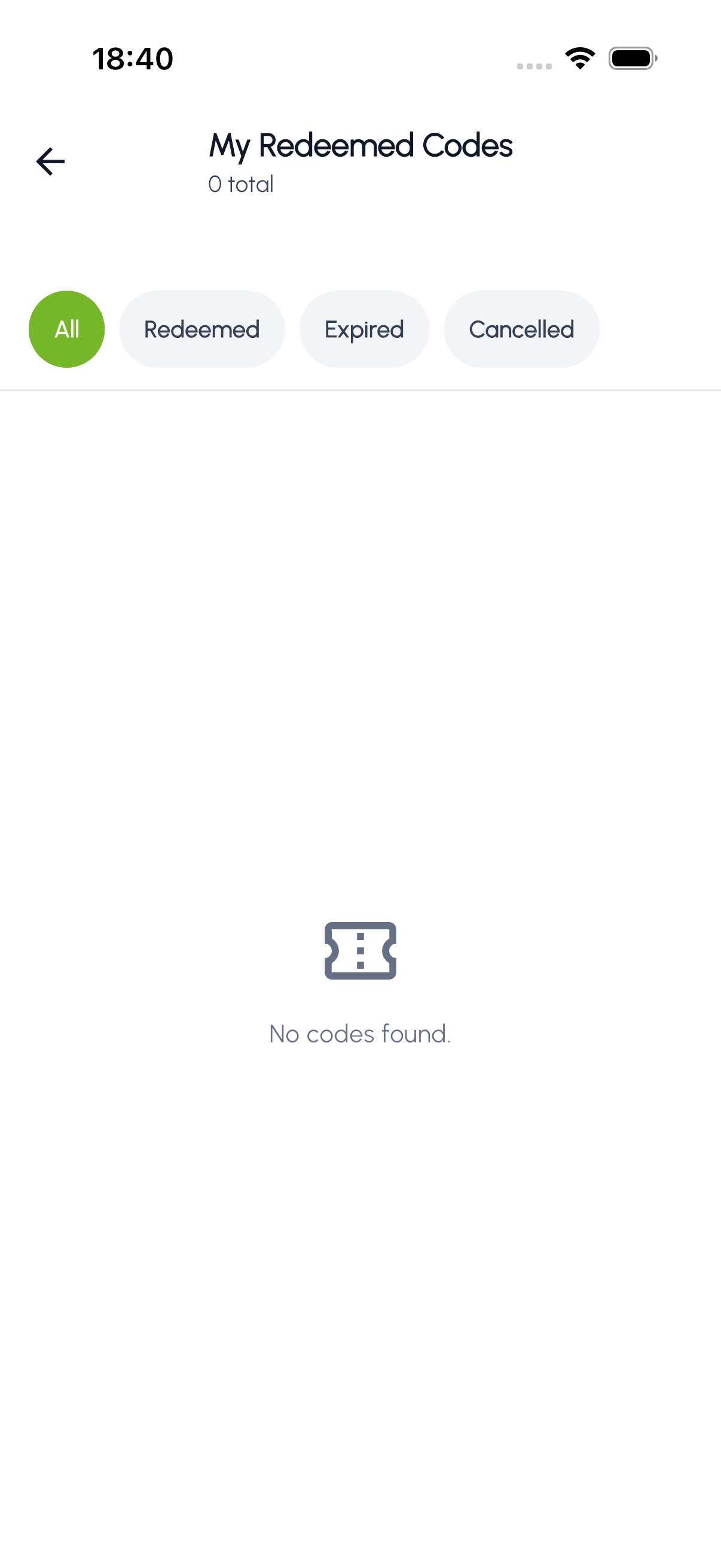
View all your previously redeemed wash codes in one place. Filter by All, Redeemed, Expired, or Cancelled to find specific codes.
04 Notifications
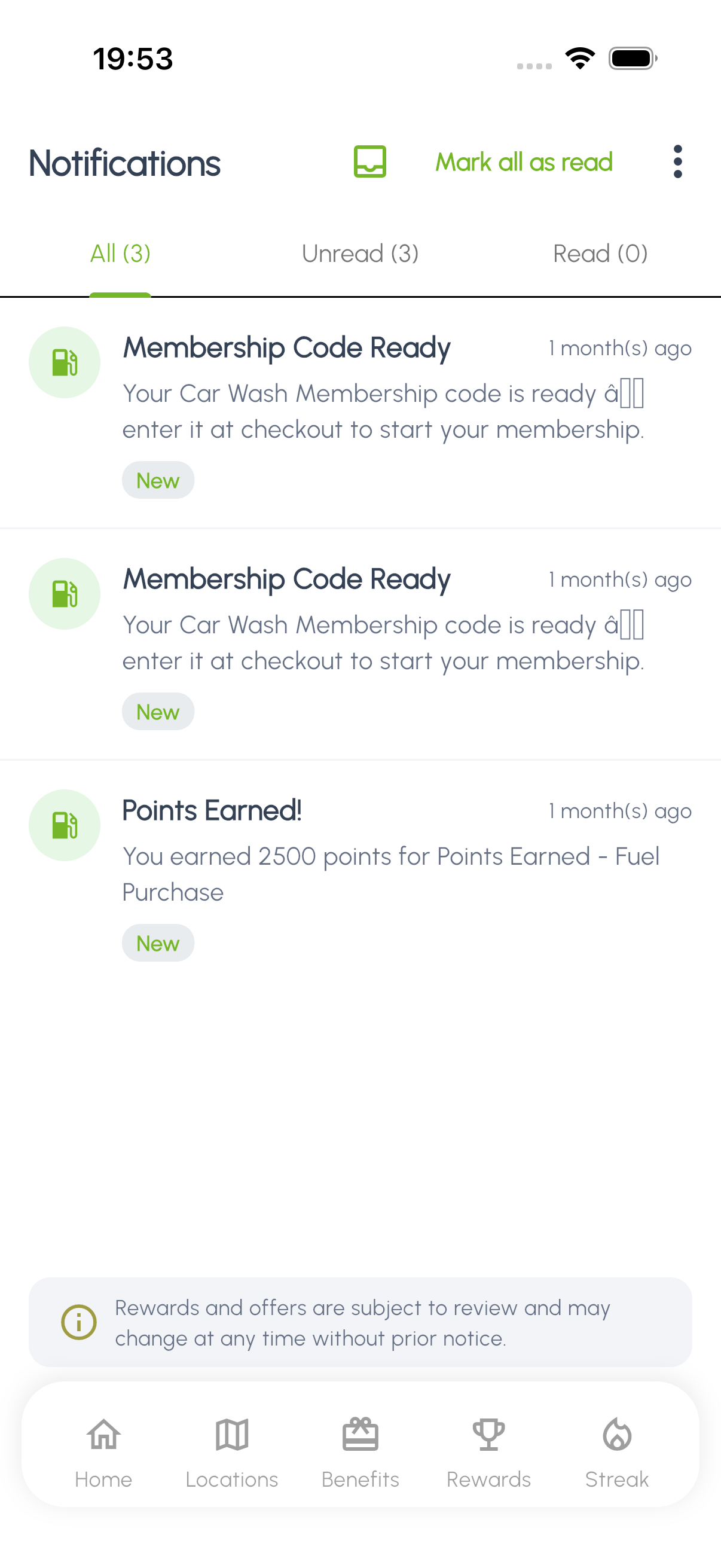
The in-app notification center collects everything Noble Gas sends you: point earnings, new rewards, promotions, and account activity.
- Push Notifications: Real-time alerts when you earn points, unlock a badge, or when a new promotion becomes available.
- Notification Inbox: All notifications are saved in your in-app inbox so you never miss an update.
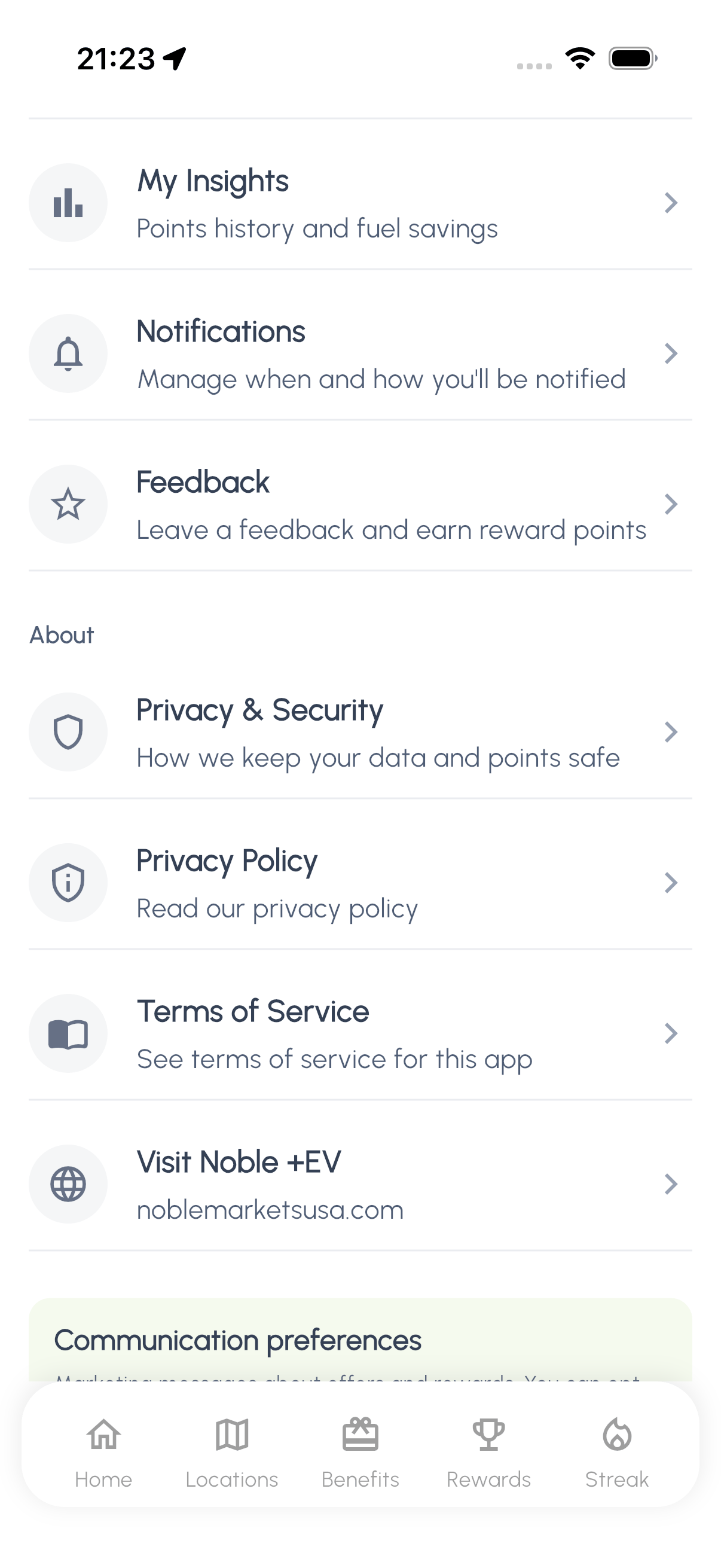
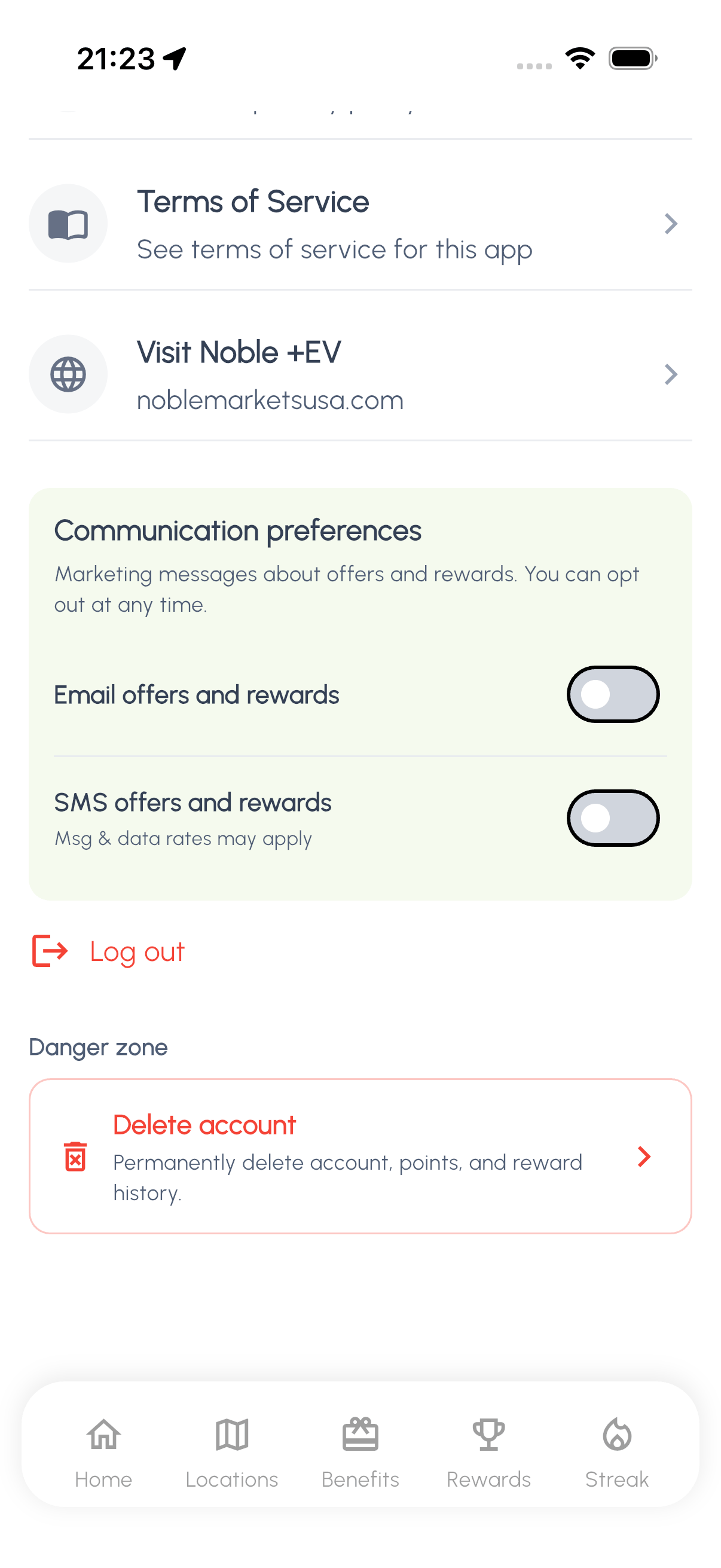
- Notification Preferences: Customize which notifications you receive in your profile settings under Communication Preferences.
05 Profile & Settings
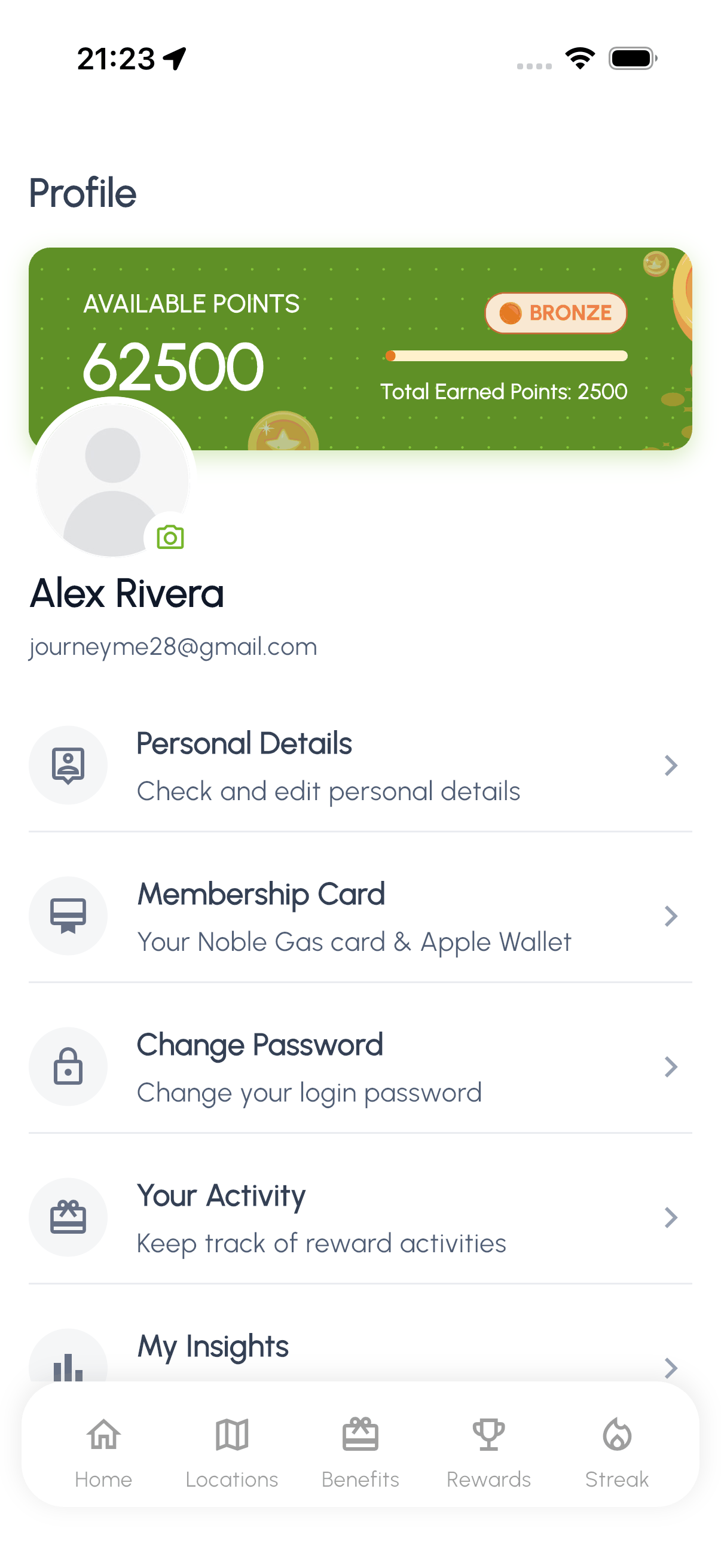
Your profile is where you manage your personal information, view your points summary, and reach all app settings. It is also where you find the rewards and engagement features.
- Personal Details: Update your name, email, phone number, and profile picture.
- Points Summary: See your total points earned, redeemed, and current balance at a glance.
- Quick Access Menu: Jump to Badges, Streak, Referrals, or Spin the Wheel directly from your profile.
- Communication Preferences: Control which types of notifications and emails you receive.
- Privacy & Terms: Review the privacy policy and terms of service at any time.
06 Rewards & Engagement
There is more to Noble Gas than earning and redeeming. Earn badges, keep a streak going, refer friends, and spin the wheel for bonus rewards.
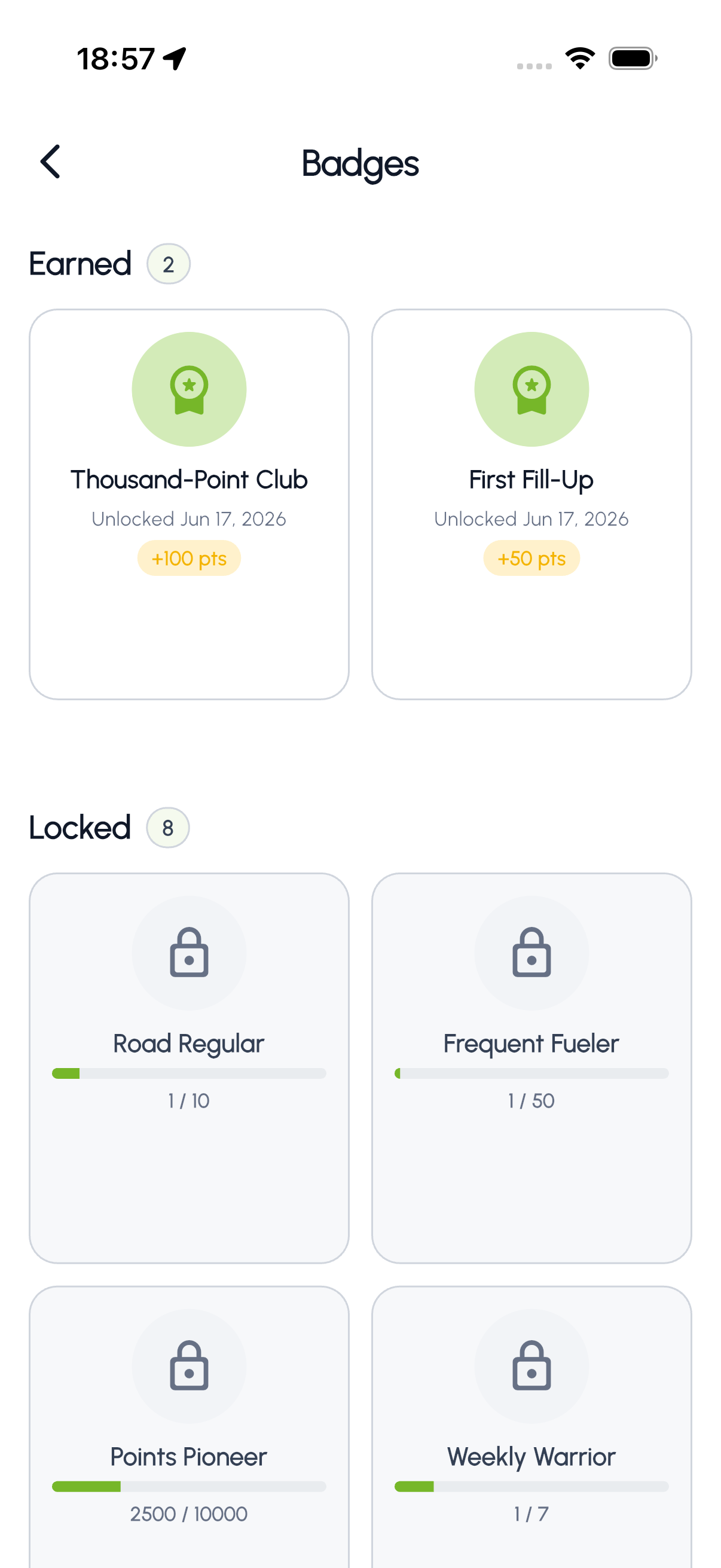
Badges
Earn badges by reaching milestones like your first purchase, hitting a points threshold, or keeping a streak going.
Daily streaks
Check in daily to build your streak. Longer streaks earn bonus points and unlock streak-related badges.
Refer a friend
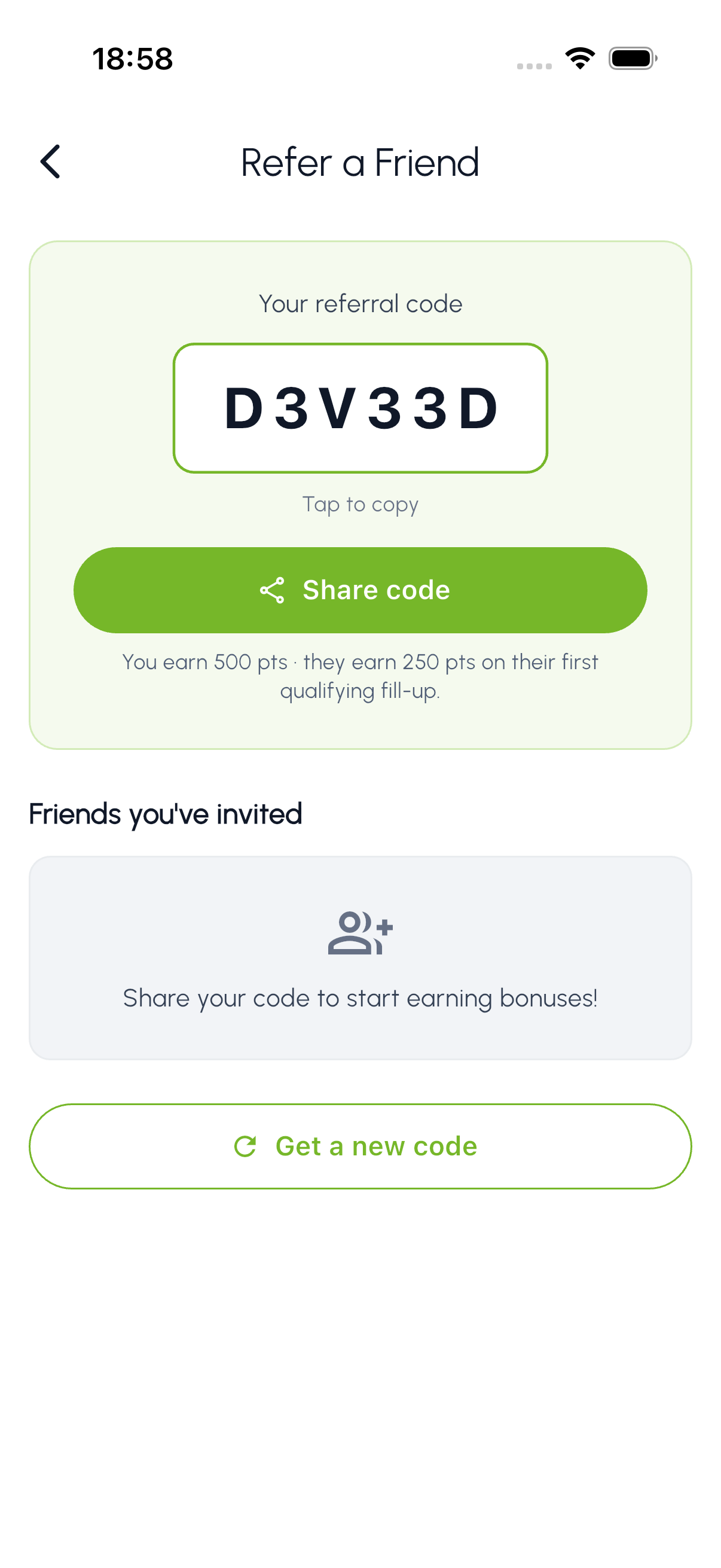
Share your unique referral code. When friends sign up and make their first purchase, both of you receive bonus points.
Spin the wheel
Periodically you can spin the reward wheel for a chance to win bonus points, free washes, or other prizes.
07 Locations
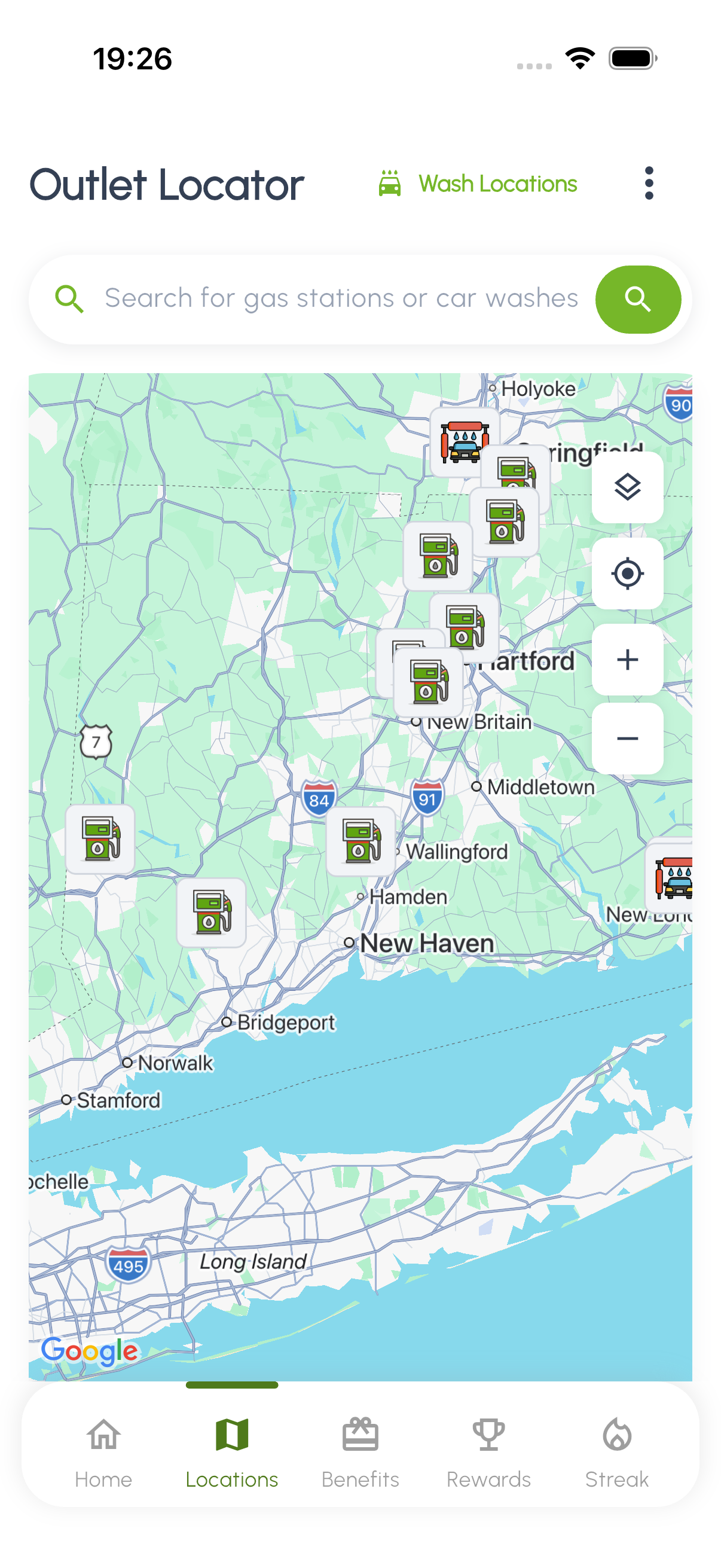
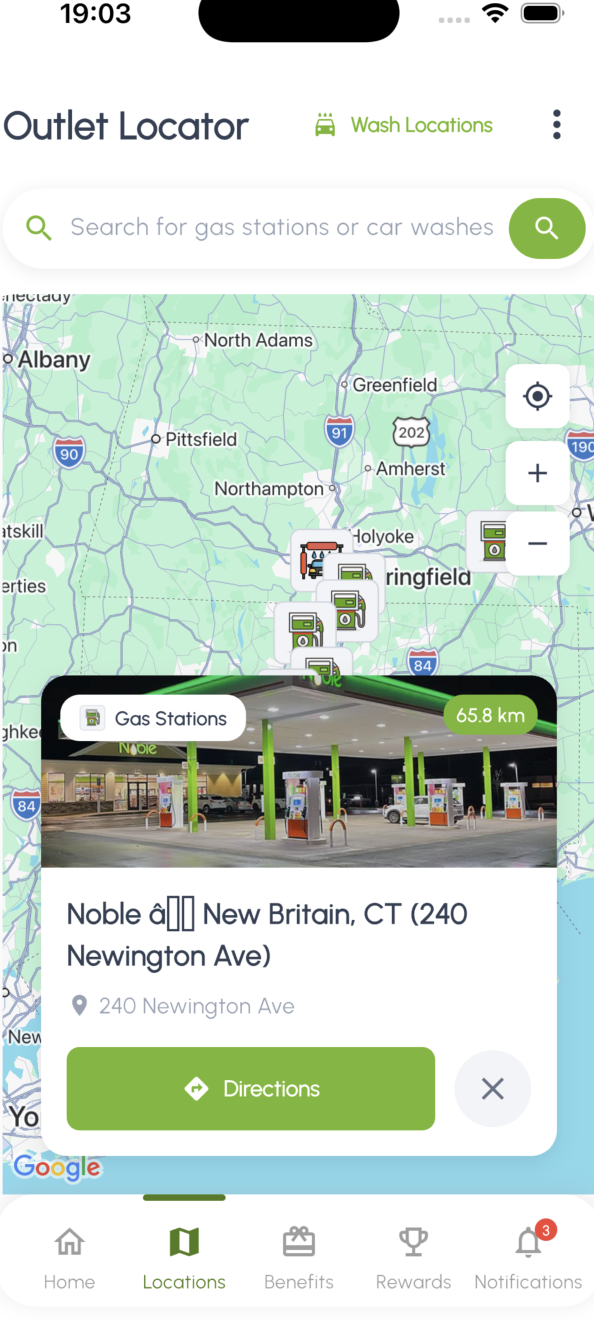
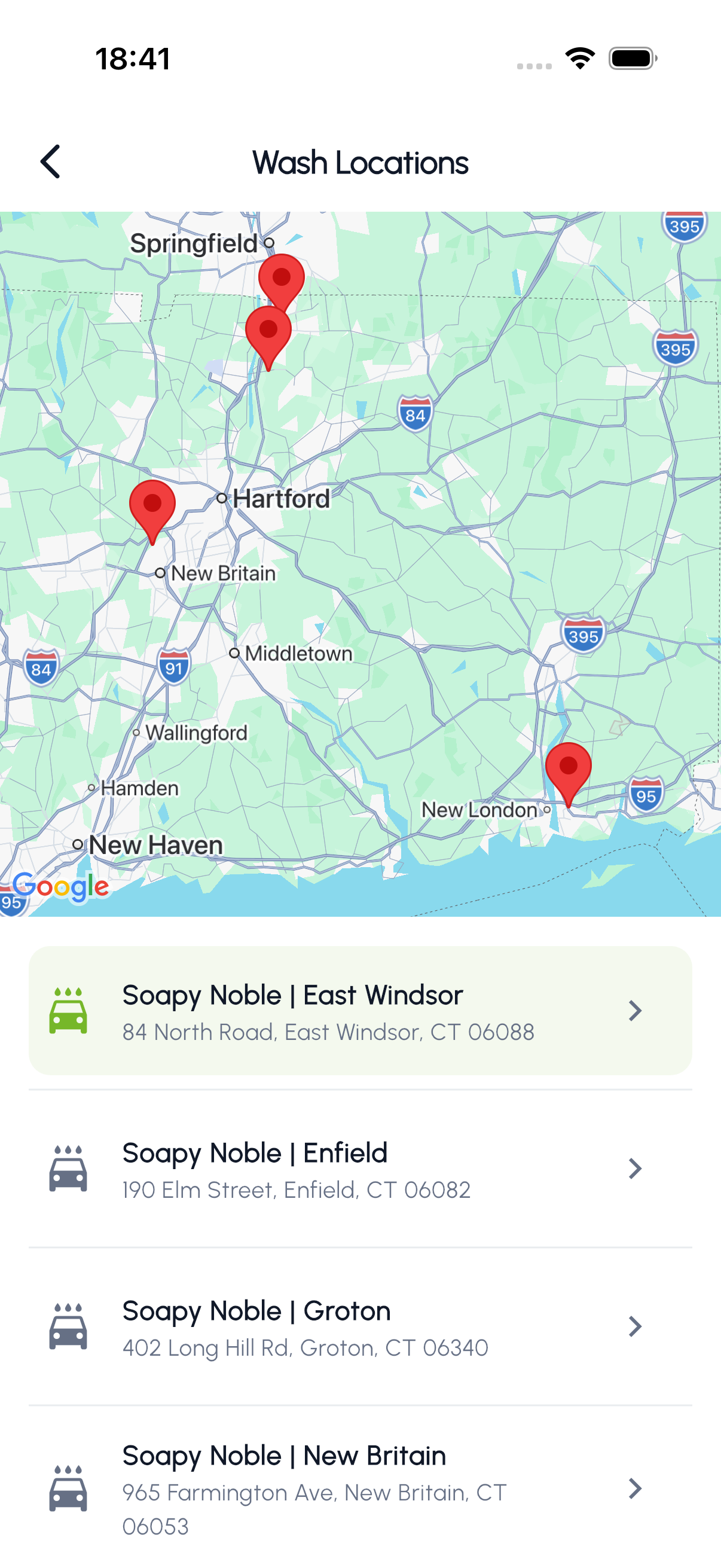
Noble Gas helps you find participating locations near you. The app features an Outlet Locator for gas stations and a Wash Locator for car wash sites, both with interactive maps.
- Outlet Locator: Search for nearby gas stations and car wash outlets on an interactive map. Each pin shows the station name, address, and available services.
- Wash Locations: Find dedicated car wash sites near you.
- Nearest Outlet: The home screen displays your closest Noble Gas location with the address and distance.
- Directions: Tap any location pin for turn-by-turn directions via your preferred maps app.
Need help?
Questions or need assistance? Reach us through the app, the contact page, or your local Noble Gas station.
Download the app